Designing KaiOS Smart Feature Phone
Visual Design Lead / Art Direction / UI / Motion · 2017 - 2021
KAIOS SMART FEATURE PHONE
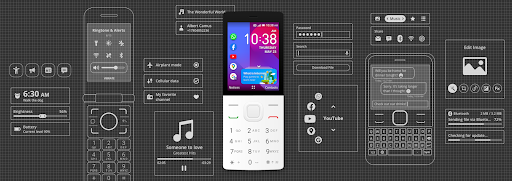
KaiOS powers an emerging global ecosystem of affordable digital products and services. We overcome hardware limits to bring smartphone-like features to affordable non-touch devices. Our mission is to connect billions without the Internet in emerging markets and offer an alternative to smartphones.
Today KaiOS has shipped 175+ million devices to over 150 countries. To us, this is a meaningful innovation around internet access as it is bridging the gap from zero to a complete mobile internet experience.
My contributions to this project were: to define the art direction and visual design system of the product, lead 4 visual designers, and be responsible for all the app interface design for more than 40 essential apps and service apps like KaiStore, Payment, and utility apps to enrich KaiOS ecosystem. I am also in charge of motion design, prototypes, and design guidelines. And run UX workshops for the new features, UX improvement, or requirements/feedback from partners and end-users.
Role
- Visual Design Lead
- UI Designer
- Prototyper
Team
- UX Designer
- UI Designer
- Researcher
- Product Manager
- Front-end Engineer
- Data Engineer
- QA Engineer
Duration
- Jun 2016 to Jul 2022
- 6 Yr. 1 Mo.
WHAT'S SMART FEATURE PHONE?
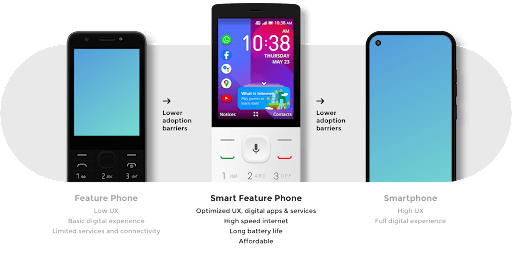
Smart feature phones are a hybrid of feature phones and smartphones. They look and feel like feature phones but have smartphone functionalities, including multimedia and internet capabilities.
Because they are non-touch devices with little memory, smart feature phones cost less to produce than smartphones. Not having large touchscreens makes them more durable and resistant to impact, which means they last longer than smartphones.
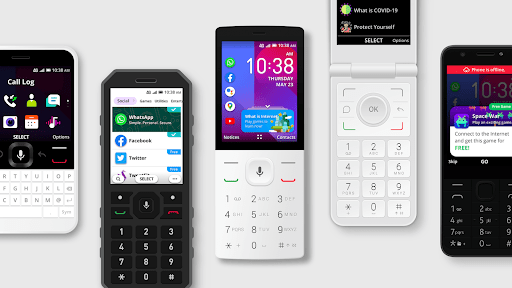
- Smart Feature Phones can be divided into four types:
- Candy bar phones, Flip phones, Rugged phones, Keyboard phones
- WHAT'S OUR PROPOSITION?
- A bridge from feature to smartphone
Smart feature phones look and feel like feature phones. But unlike average feature phones, "smart" feature phones connect to the internet and offer access to apps. Simple, durable, and inexpensive, these hybrid devices cater to niche customers, including low-income individuals in emerging markets. Their affordability makes them essential to closing the digital divide.
WHO'S OUR USERS?
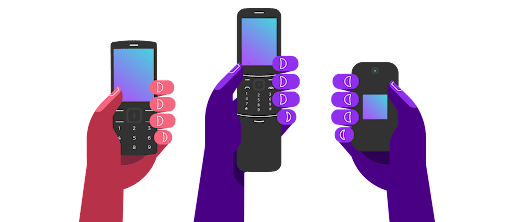
Smart feature phones aren't for everyone, but meet the needs of niche customers, including:
- Low-income individuals priced out of the smartphone market
- Older adults with a preference for simpler interfaces and physical keyboards
- Manual laborers and people who practice outdoor activities
- Organizations that need simple, affordable internet-enabled devices for work
- Individuals looking for a companion phone
UX DESIGN MISSION
To bridge the User experience gap between a feature phone and smartphone through a simple and intuitive user interface design that empowers users to adapt to KaiOS easily.
DESIGN PRINCIPLE
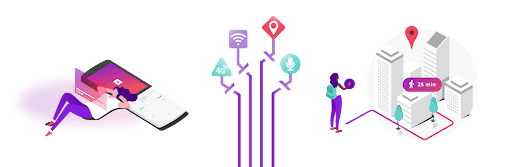
Essential
Focus on basics, and promote the simplicity and essentialness of the UI elements
Concise
Keep necessities, the size of each visual elements matters
Assist
Optimized UX and content for assisting the first time phone users or users with low literacy skills
Light
Design a lightweight OS to work well on low-end hardware


VISUAL DESIGN DIRECTION
COLOR
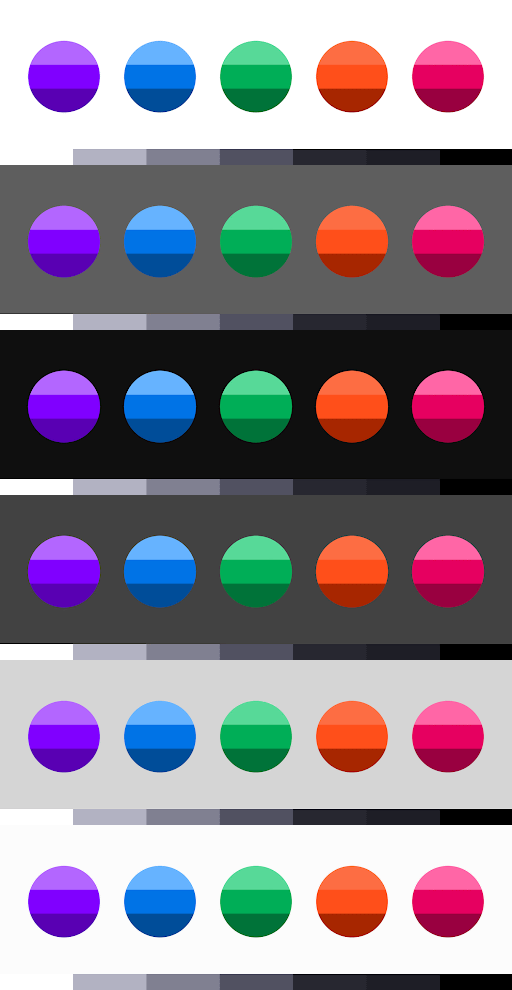
Dark mode has been widely discussed for years, and it's still trending. Its ability to conserve battery while also reducing eye strain is its biggest appeal. For this reason, we established the color palettes, individually and in combination, on both light and dark backgrounds and modes.
- SHAPE
- Circles and round corners are widely deemed as friendly and usable UI components in both images and UI elements. They also perfectly reflect KaiOS's brand identity.
TYPE
We kept the same font we use in all KaiOS products — Open Sans — but got rid of the light and italic typefaces and used size, space, and weight to improve legibility and readability on a small display.
ICONOGRAPHY
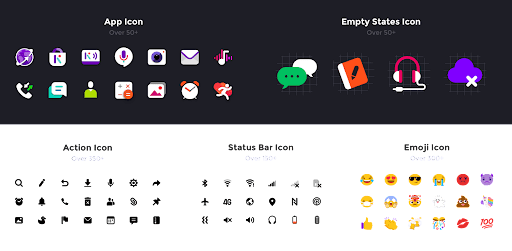
We found in the research that iconography can be a helper in conveying the meaning to users, especially emerging market users with low literacy skills. The action, status bar, and emoji icons are created in icon font, which helps improve the performance compared to SVG and BMP format.

UI COMPONENT
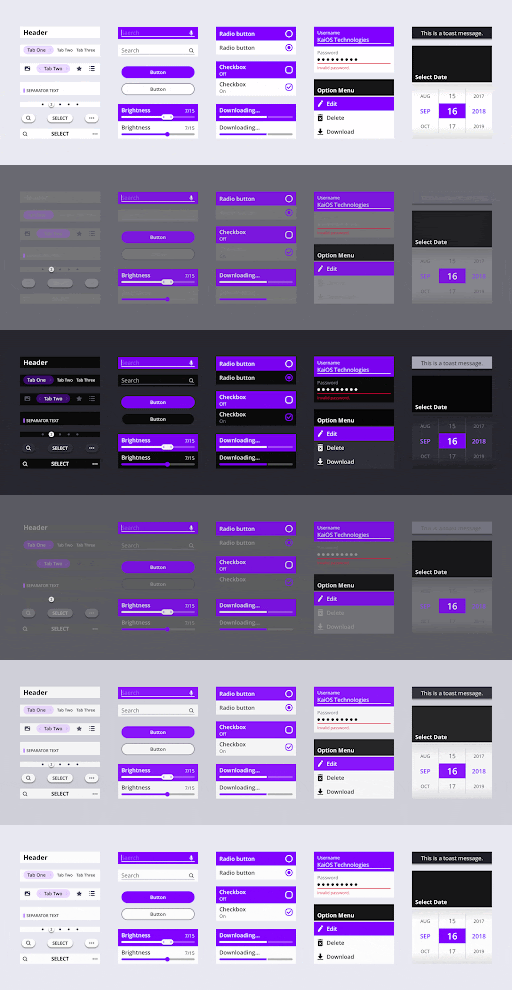
KaiOS apps are created from UI Components that define common interface elements. In the latest version of UI Components, we introduced the dark & light theme with minimal design touches to allow app designers to achieve a consistent appearance across the system.
MEET KAIOS APPS
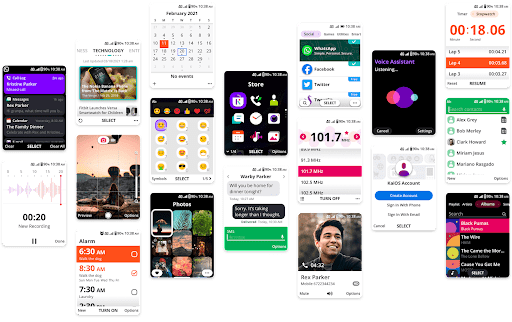
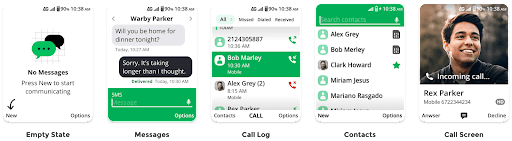
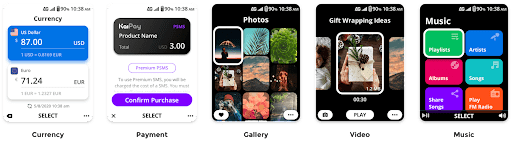
We designed more than 40 baseline essential apps and service apps like KaiStore, Payment, and utility apps to enrich KaiOS ecosystem.
THE EVOLUTION OF HOME SCREEN
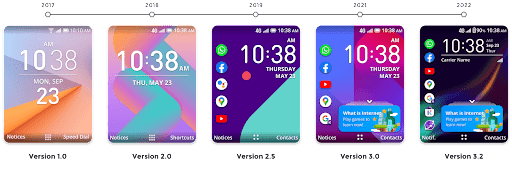
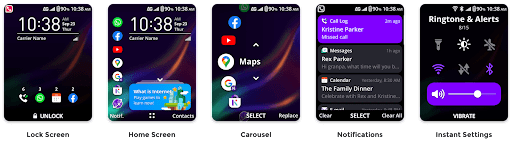
We introduced the first version 1.0 of KaiOS in 2017 and continually updated the new features to users, such as the favorite apps that allow users quickly access without going into Apps Menu and cards that increase user engagement and enrich the internet onboarding experience.
AWARDS





INDIVIDUAL CONTRIBUTIONS TO THIS PROJECT
20+
App Designs
8
Patents
4
Guidelines
2
Publications
THE INTERNET ENABLER
I created this product video to enter the Red Dot Design Award. We're thrilled to be the winner of the Red Dot Design Award 2021 in the Brand and Communications: Interface & User Experience category. Please visit The Red Dot online exhibition to learn more about the winning project.
UX IMPROVEMENT
FIRST TIME USE
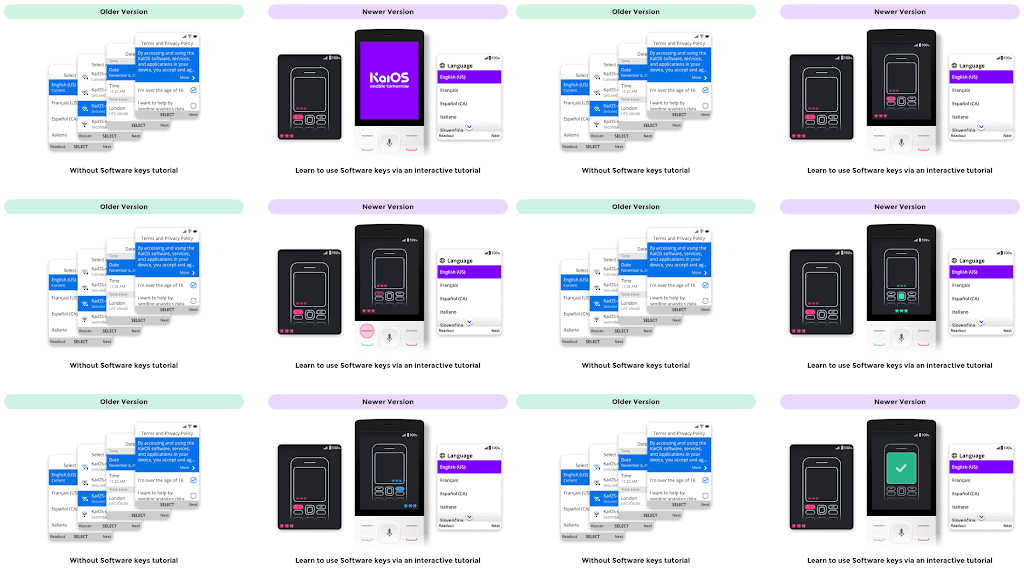
We are introduced to the essential phone hardware keys in the first mobile experience and then progressively taught how to use the key to operate the phone interactively; compared to the older version, users need to explore and learn by themselves. This improvement is particularly essential for users who have never owned a mobile phone or are digitally illiterate.
HOME FEATURES GUIDE
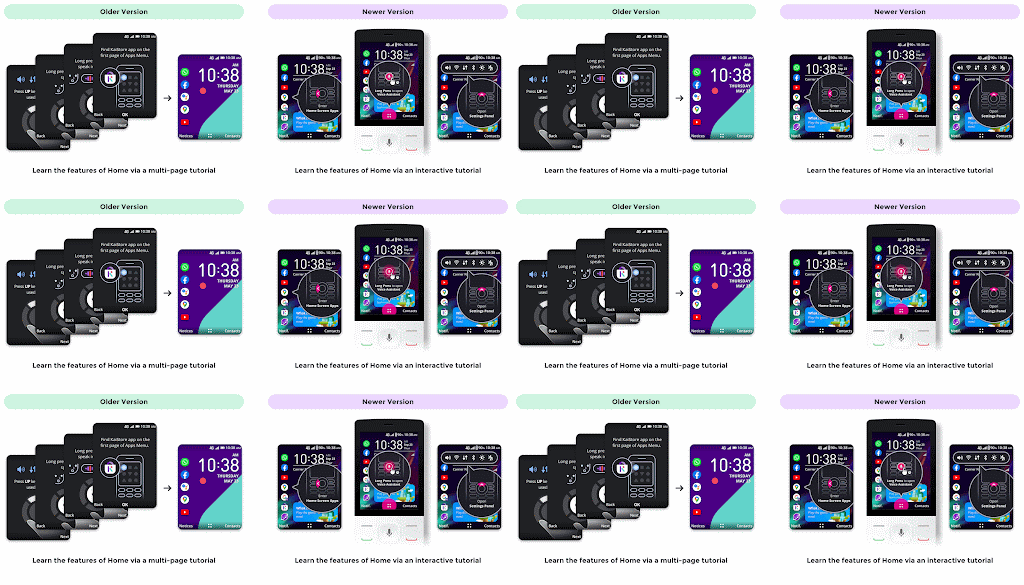
We found in our Africa research that the multi-page tutorial was not an effective design for users as most of the users finished the guide without reading or remembering it. So we re-design the tutorial in an interactive way to progressively encourage users to learn and explore the features.
OPTION OF APPS MENU
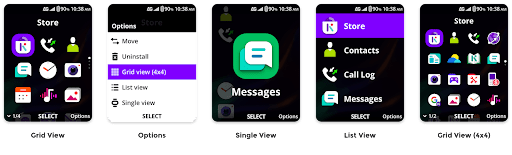
Flexibility can be seen throughout the interface design, even in the Apps Menu, where four designs are provided. Users can decide what works best for them, from the simplest single view to the more advanced list view or grid view.
TYPING GUIDE
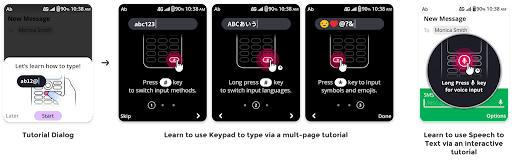
Using the Keypad to send a message is not easy, particularly for users who have never owned a mobile phone. So we create a series of tutorials to teach users how to type, input a symbol and emoji, or use the Speech-to-text feature instead of typing.
MAKE IN-APP PAYMENT
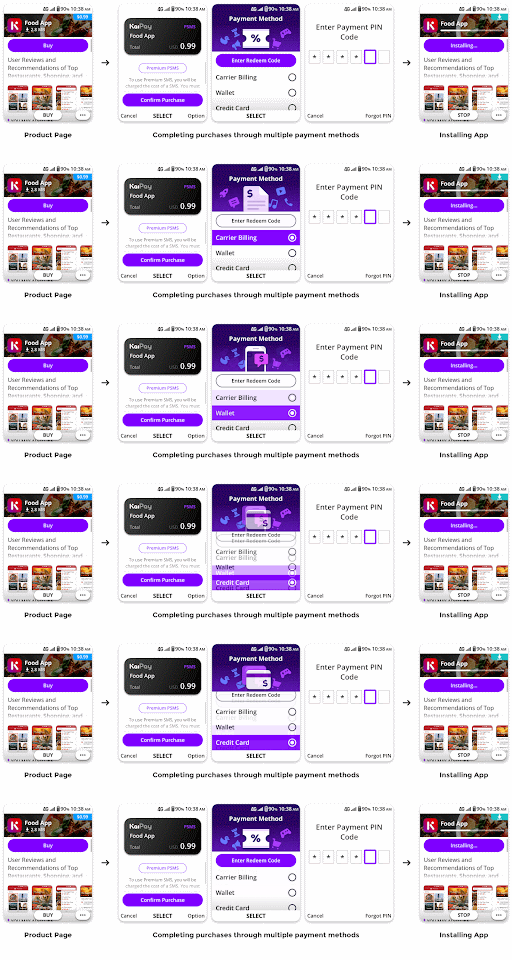
KaiOS teams up with multiple mobile payment partners to provide a wide range of payment methods to users, such as mobile wallets, card-based payments, and carrier billing. We also feature a redeem code service to increase user engagement of products.
CARDS
Cards allow instant access for first-time internet users to understand and explore the Internet. The "What is Internet" card is designed as a game to incentivize users to explore the Internet in an interactive and fun way. Cards also support KaiOS and 3rd party service promotion/campaigns.
My contribution to this feature is to provide the game design concept, create an onboarding silence animation to convey the concepts to users, collaborate with the UX designer (Tina Chen), and assist the UI designer (Johnny Jao) in completing the project.
VISUAL REFRESH
DESIGN GUIDES & APP SUBMISSION PORTAL
DESIGN GUIDE
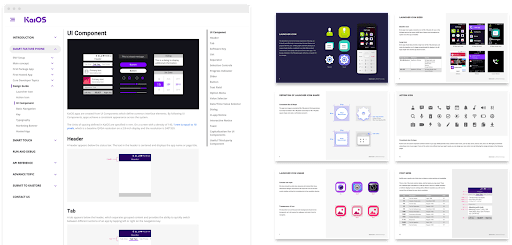
I created and maintained this guide to serve as a resource to designers and developers to help define the visual style for their KaiOS applications. For more info, please visit KaiOS developer portal website.
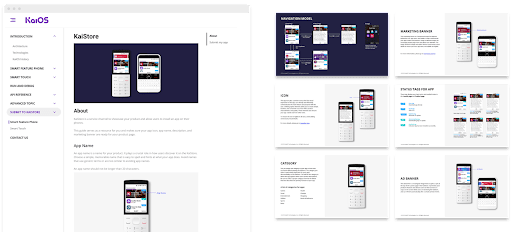
KAISTORE PARTNER GUIDE
I created and maintained this guide to serve as a resource to partners and developers to ensure their products, such as app icon, app name, description, and marketing banner, are ready to display on KaiStore. For more info, please visit KaiOS developer portal website.
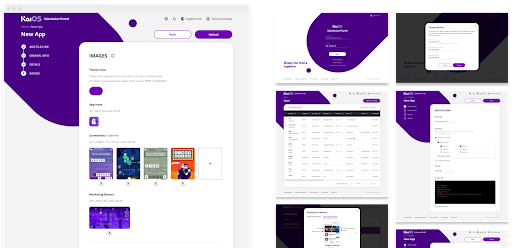
APP SUBMISSION PORTAL
KaiOS App Submission Portal is the website for partners and 3rd party developers to submit their applications on KaiStore. My contribution to this project is to define the visual direction and assist the UI designer (Johnny Jao) in completing the project.
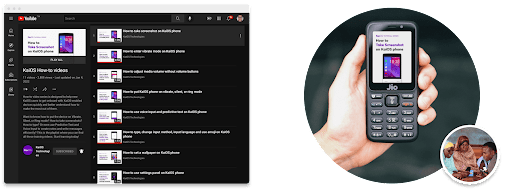
HOW-TO VIDEOS
I created a series of How-to videos and posted them on KaiOS YouTube channel. The how-to video series is designed to help new KaiOS users to get onboard with KaiOS-enabled devices quickly and better understand how to make the most out of them.
TAKEAWAY
Designing an operating system for mobile phones is the most exciting and rewarding project for me so far. It is especially meaningful as my design enables internet service for our consumers through affordable mobile technology and has changed the worldview of 150+million people, making real impacts on people in the most remote corners of the world.
As a designer, my daily challenge is continuously optimizing the user experience of Smart feature phones, which ultimately improves our products' usability and performance. Empowering people around the world through our technology is my biggest motivation.